
Made with ♥ by Avi

Here’s all about what happened at Apple’s Annual Developer Conference.


1. iOS 16

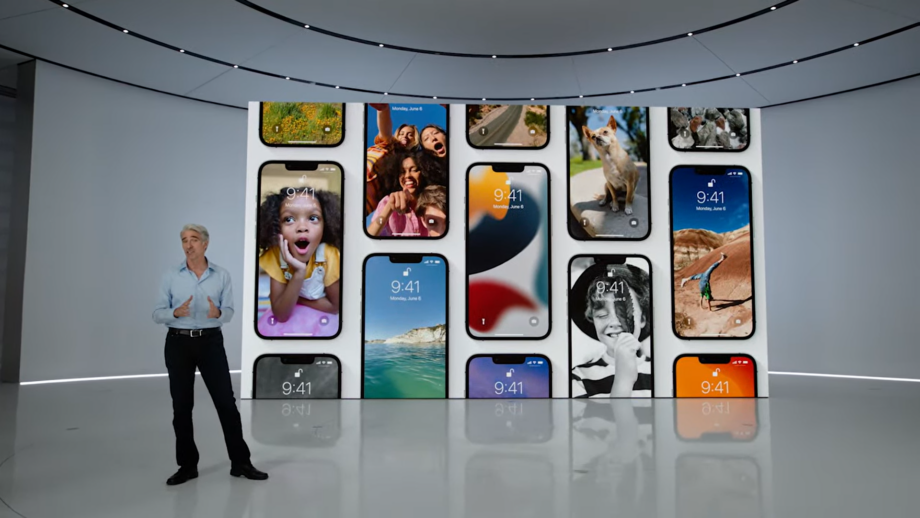
With the Lockscreen, you get more widgets and more customizing as you can customize with a tap to change the wallpaper, color, fonts for date and time as well. There are more widgets, calendar, weather, and other options. Notifications will roll in from the bottom, and we also get live notifications that remove a stream of notifications for events, activities. Focus is getting an update, letting you configure widgets based on the Focus session you choose. Apps will detect what Focus session you’re in. You can edit Messages you’ve sent on iMessage, eliminating embarrassment while also being able to undo send on messages and marking message threads as unread. 

Apple News is getting changes, by My Sports. Users get scores, standings, highlights for major sports leagues and you can configure it to follow your favorite teams.  Family Sharing makes it easier to create accounts for kids. Apple is simplifying devices set up for kids with Quick Start as requests for screen time will now come to Messages with a great new Family Checklist feature that will remind you of family sharing capabilities. You can now share keys with other users in iOS 16 with Wallet. ID cards coming to more locations. Apple Pay will also support new payments as it lets you spread payments into 4 equal payments spread over 6 weeks, no interest payments. iMessage gets a new “Shared with You” feature from iOS 15 with an API for developers to take advantage of the feature. SharePlay just got extended to Messages so users can watch videos in the Messages thread. Photos gets a new iCloud Shared Photo library letting users set up shared libraries with up to 5 people. People will have equal permissions for photos. Photos shared will show up in Memories and the Photos widget. There’s a new setting in the Camera app letting users add photos straight into the Photo Library. 
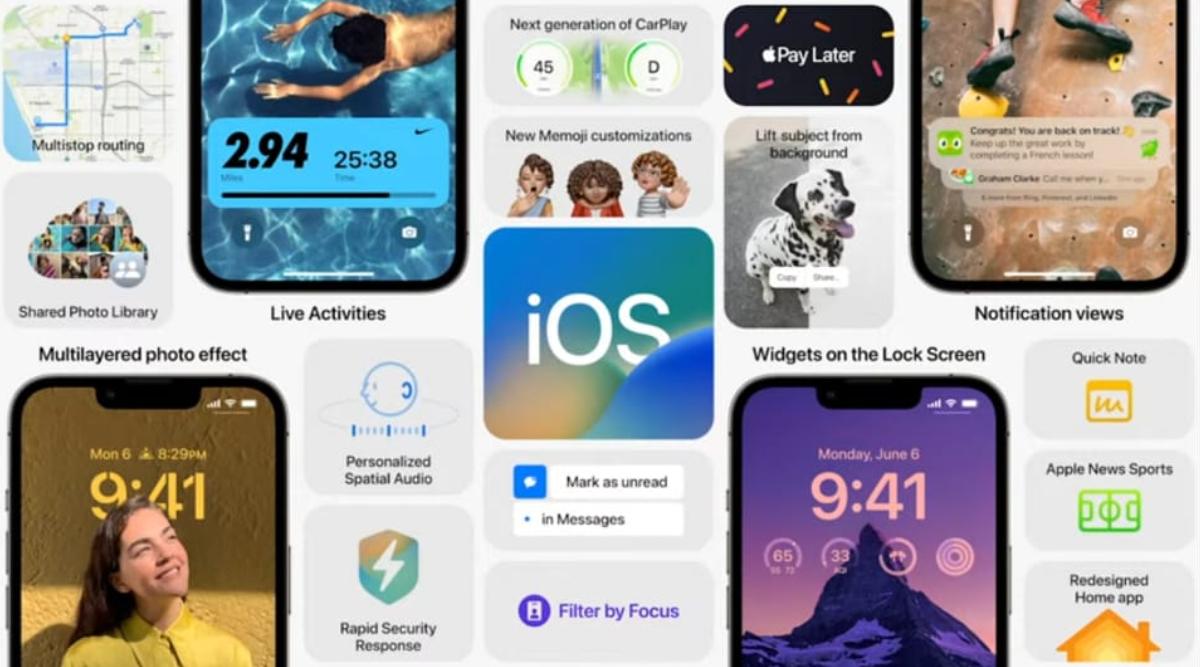
Safety Check is a safety feature in iOS 16 that lets you turn off sharing details if you’ve left an abusive relationship, a smarter way to manage permissions making sure the information isn’t in the hands of someone who can harm you. With more iPhone integration, CarPlay takes over all in-car screens, with “the very best of your car and your iPhone”, the new version will include support for controlling all vehicle systems with dash clusters and more. Available in 98% of cars. 79% of US buyers would only consider CarPlay-capable vehicles. Includes widgets, including on the gauge cluster iPhone communicates with in-car systems to display all the data. Supports multiple sizes and shapes of screens.
iPhone drives a new heads-up display with custom layouts tailored to the car, as well as new instrument cluster options. iOS 16 includes spatial audio improvement that uses the TrueDepth front camera to personalize sound as the Quick Note on iPad is also coming to iOS with more Memoji customization


2. watchOS 9

With watchOS 9, you get more watch faces and the Workout App that’s getting reworked and now gives stats like Metrics, views & training experiences inspired by high-performing athletes. 

There’s more Running updates with metrics and a New custom workout option that lets users focus on speed or endurance with distance or time intervals. New alerts like Pace, Heart Rate Zones. The Fitness app coming to iPhone- users regardless of if they have an Apple Watch. Track steps, distances, from iPhone only. 
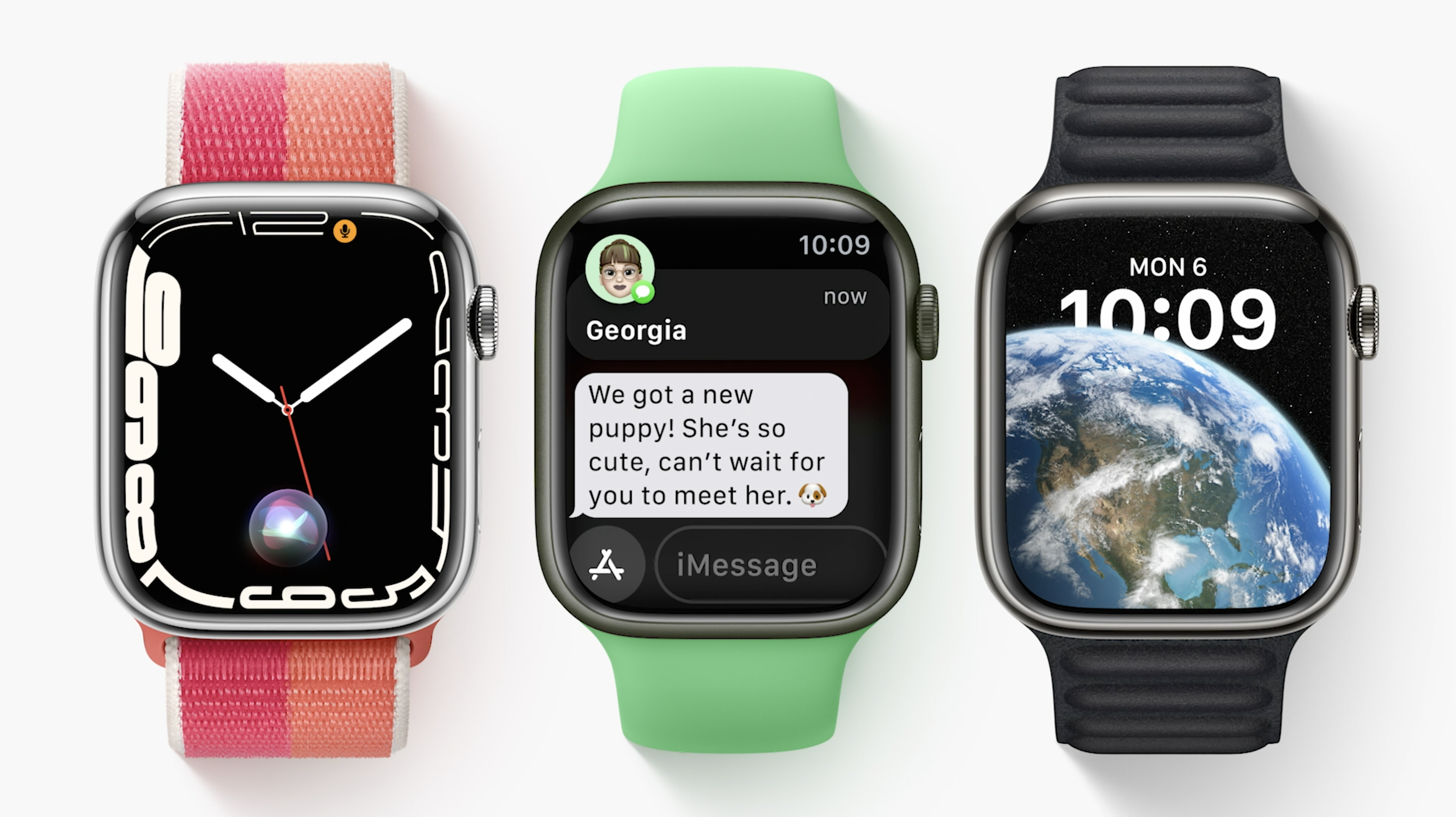
There’s also some Updates to the Sleep app as you’ll now be able to learn more about sleep with Sleep Stages. Machine learning models matched with polysomnography to help determine whether you’re in REM, Core, and Deep sleep stages. 

A new Medications app to help you keep track of meds and helps users remember dosages with reminders on your iPhone or Apple Watch. Users now also get drug-drug interactions as they can share health data and Medications with family members. 


3. Next Gen Apple Silicon, the M2 chip. 

M2 goes beyond the M1 chip as “unlike others in the industry who increase power to get performance”, Apple says that they maximize performance minimizing power consumption. The M2 chip is their 2nd-generation chip with 5nm technology, 20 billion transistors, 25% more than M1. 100GB/s of unified memory bandwidth, up 50% from M1. The M2 also supports up to 24GB of LPDDR5 memory. 

With advancements in performance and efficiency cores, 4 high-performance cores, 4 high-efficiency cores and 18% greater performance at same wattage. M2 delivers 87% of peak performance of a 12-core PC laptop chip with 1/4 the power usage. Up to 10-core GPU, up 2 from M1. Apple says the M2 is a lot faster at lower power usage levels than the competition. The fact that we’re already starting our next-generation of Apple Silicon for the Mac is remarkable. 


4. New MacBook Air with an M2

The New MacBook Air is the first to have the new M2 chip as it is redesigned around M2 with 20% reduction in volume over previous Air. The dimensions are: 11.3mm thin. 2.7 pounds. The New MacBook Air Comes in 4 finishes, Silver, Space Gray, Starlight, Midnight. 

There’s MagSafe and two Thunderbolt ports on the left, an Audio jack with high-impedance headphone support on the right. The New MacBook Air Liquid Retina display got expanded around the sides with a notch as it’s a new 13.6-inch display with thinner borders, 500 nits and 25% brighter than before. 1 billion colors! New 1080p camera with 2x resolution and low light performance as previous MacBook Air.
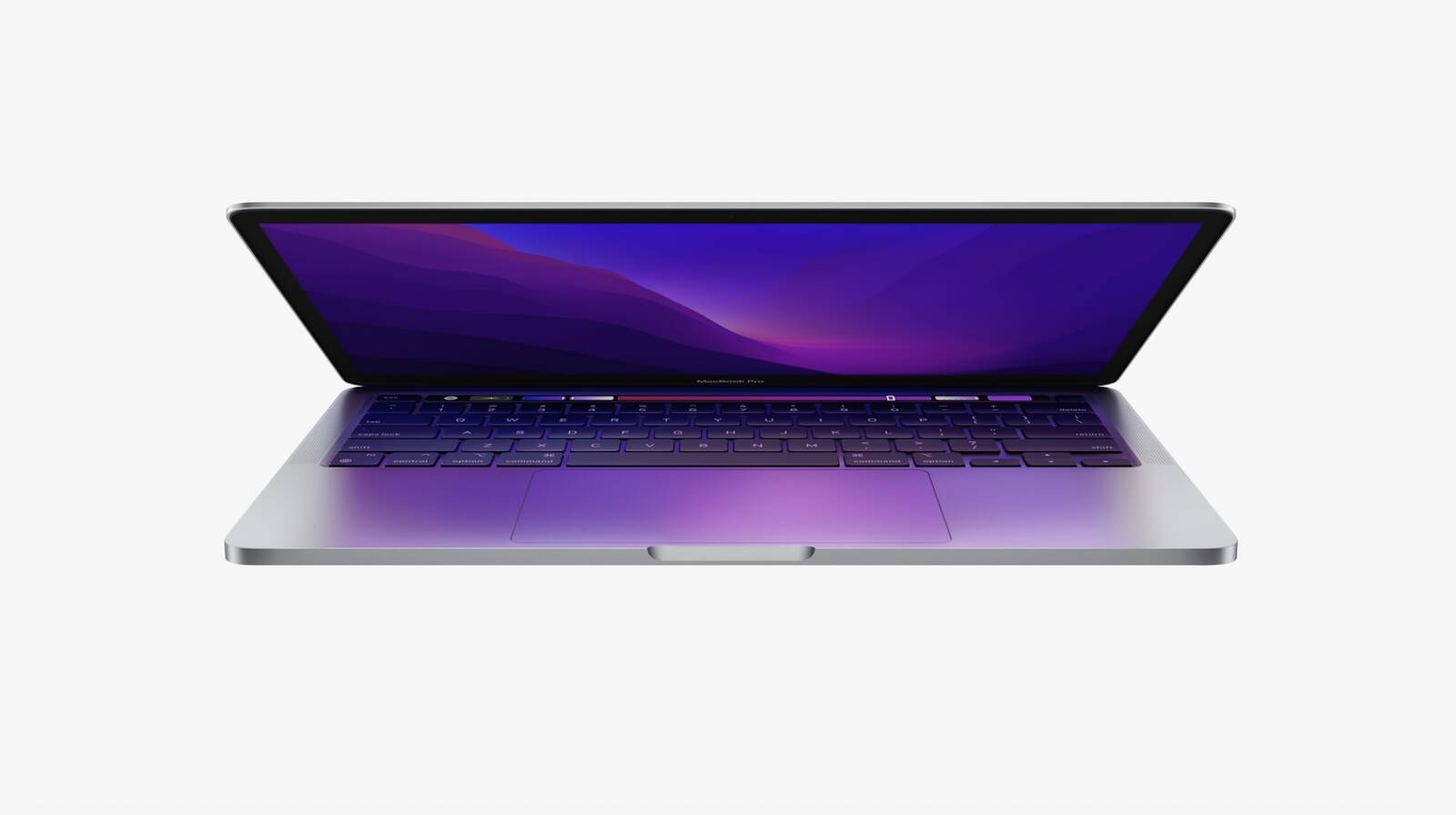
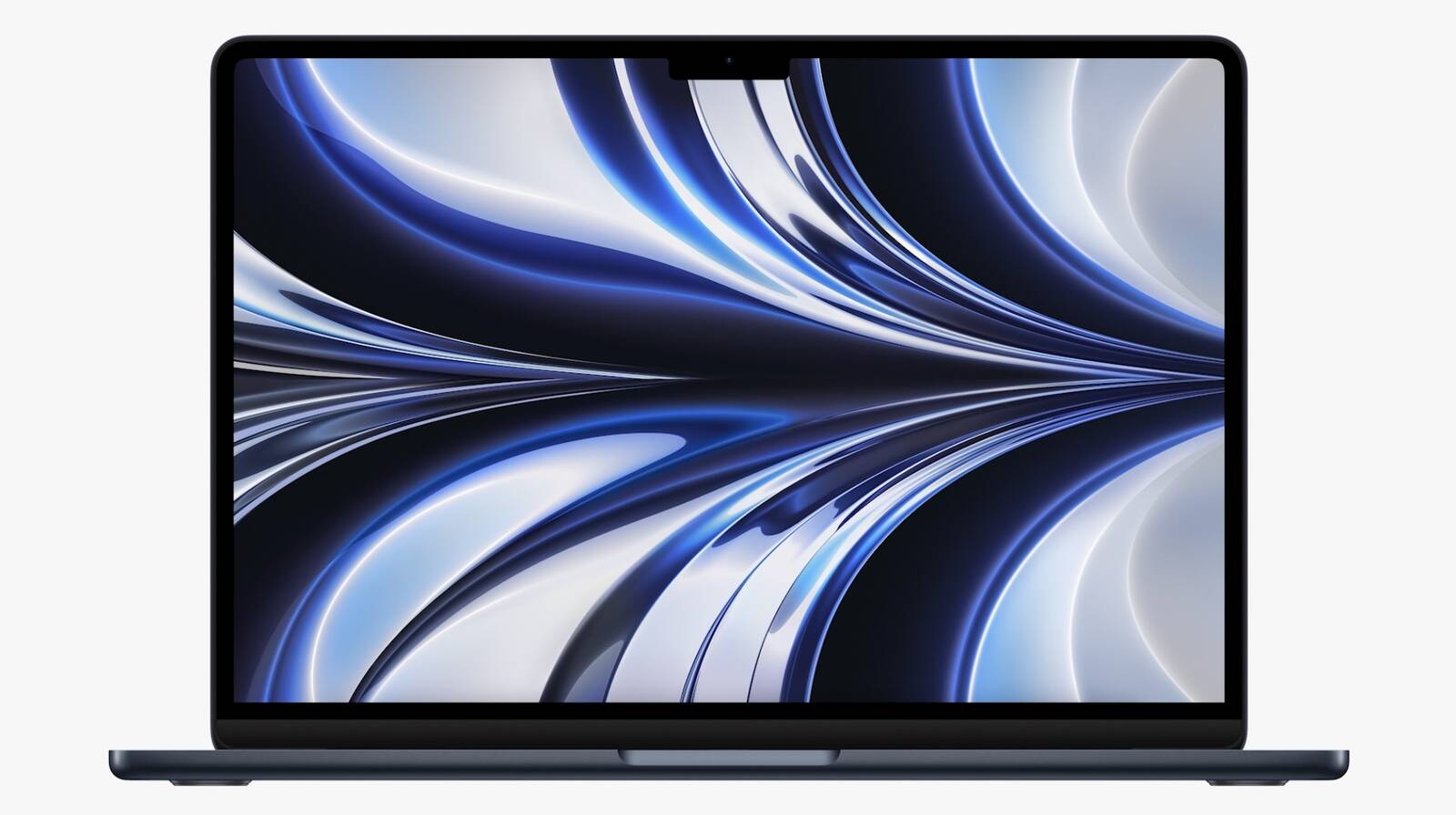
A Three-mic array captures audio with beamforming algorithms. Four-speaker sound system. [Integrated between the keyboard and display] Magic keyboard includes a full-height function row with Touch ID but without a touch bar. The New MacBook Air has a Silent, fanless design. The New MacBook Air has the same all-day battery life, up to 18 hours of video playback that is really great. Compact power adapter with two USB-C ports. Fast charging supported with 67-watt adapter charging 50% in 30 minutes.

MacBook Air starts at $1199 or $1099 for education. MacBook Pro 13″ starts at $1299 and $1199 for education. Available next month. MacBook Air M1 stays in lineup at $999 or $899 for education.


5. macOS Ventura
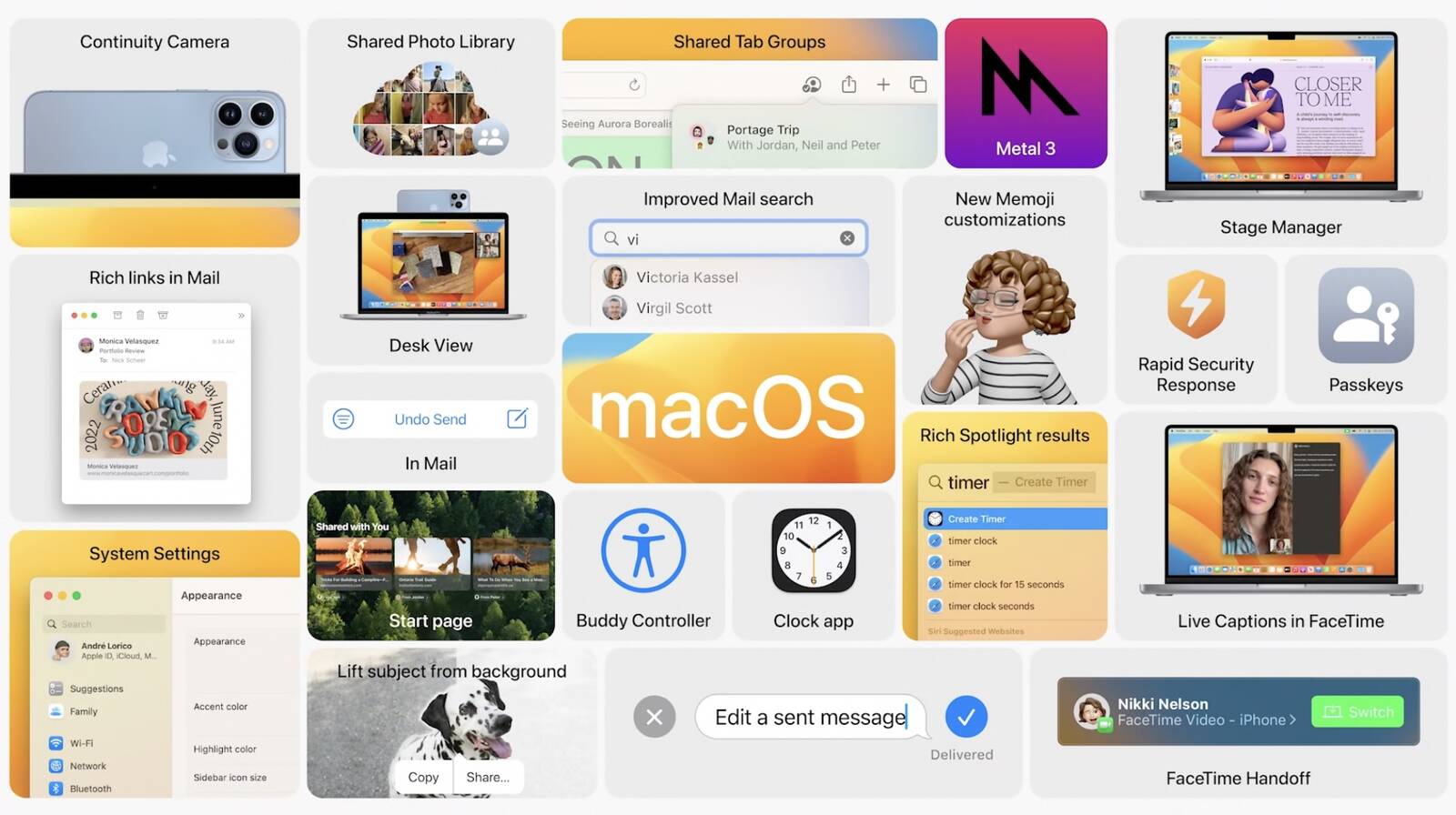

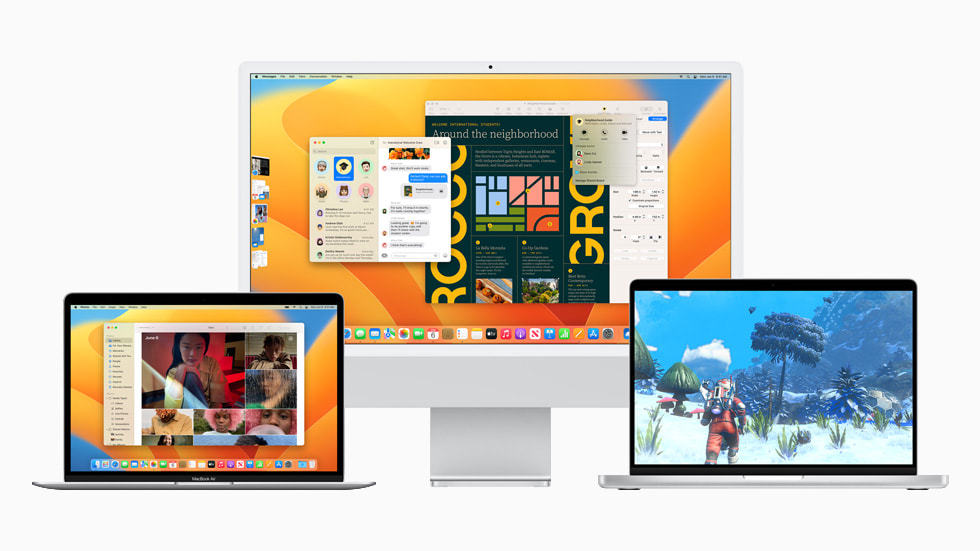
macOS Ventura got some really cool features like a New Stage Manager feature that helps window tracking, it shuffles windows off to the side and is organized by apps. App you’re currently working with stays on center with recents on the side. You can also group windows together across apps into new groups. 

Updates to Spotlight- Spotlight can find images from photo library, search text inside images using Live Text, start timer or run shortcut from Spotlight. Rich results and taking actions from Spotlight are also coming to iOS and iPadOS. Spotlight added to the bottom of the iOS home screen. 
Apple is also aiming to replace passwords for good with a new “Passkeys” feature that uses Touch ID or Face ID to authenticate with a Digital key that is created and can’t be phished. It works with both Apps and on the Web.  It’s basically Touch ID or Face ID for websites. Apple has worked with the FIDO alliance to work across platforms. Uses QR code to sign in. 

Handoff is coming to FaceTime, it’s a Continuity camera that allows you to use your iPhone as a webcam on your Mac. There’s a Stand that allows your iPhone to attach to your display. 

Apple is working with Belkin to offer MagSafe stands to mount your iPhone to your computer and works as a webcam wirelessly and the iPhone can mount to your Mac using Portrait settings like Studio Light. Desk view uses the ultrawide camera from the iPhone to show the desk in front of a computer. Looks like a top-down camera view. The macOS Ventura coming later this year.


6. iPadOS 16
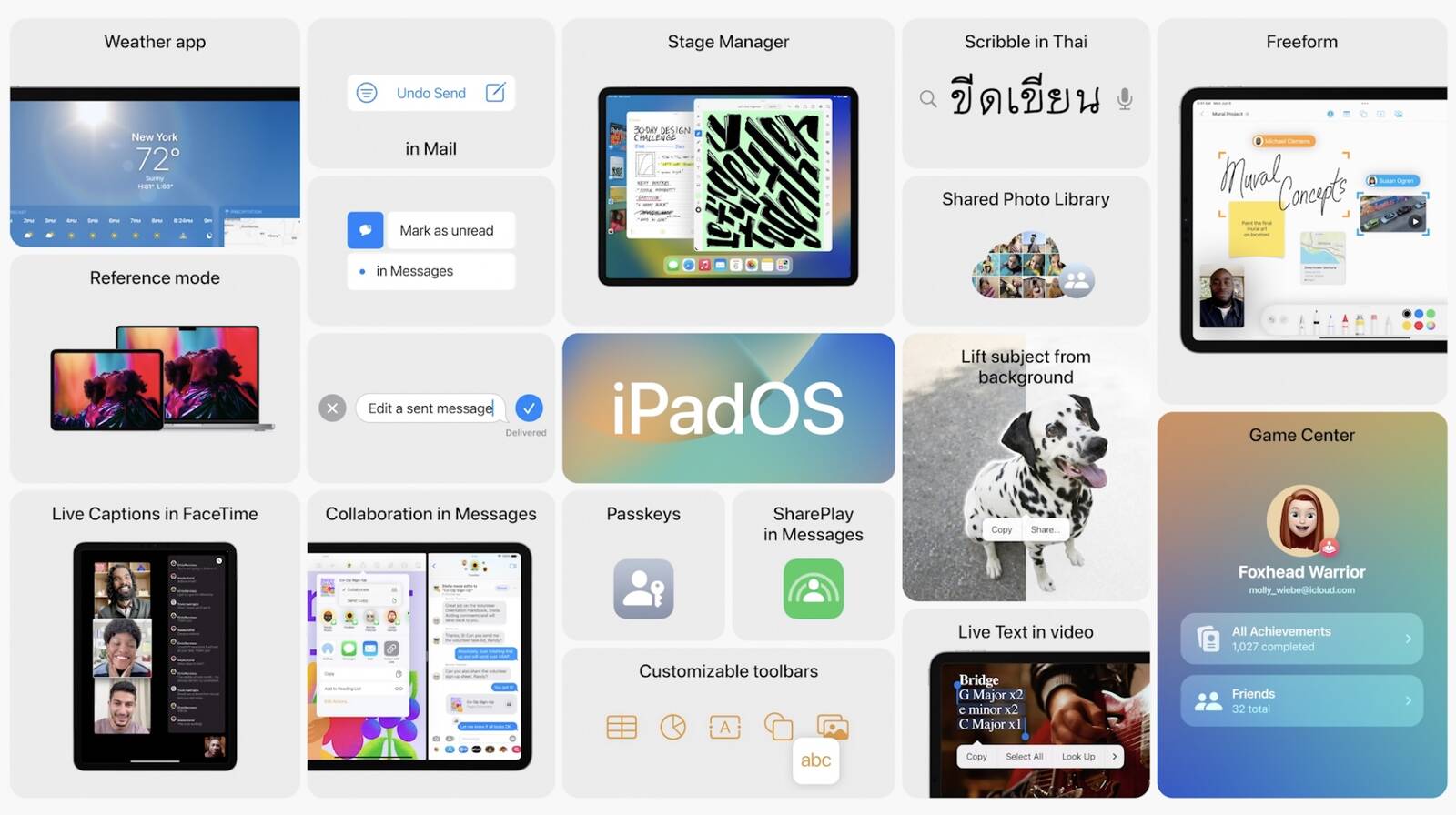
There’s lots of iPadOS updates, including a new Weather app. There’s new ways to collaborate with others and new features for Pro users. Users can share collaboration documents from Pages into entire Messages group. 
There’s a New Freeform app that’s basically a whiteboard but digital. Freeform is coming to iPadOS, macOS, and iOS later this year, you can add images, post-it notes, and scribbles, documents, web links, PDFs. There’s some more updates to Game Center and activity to see what friends are playing and see when friends beat your high score. SharePlay games. Also coming to iOS and macOS

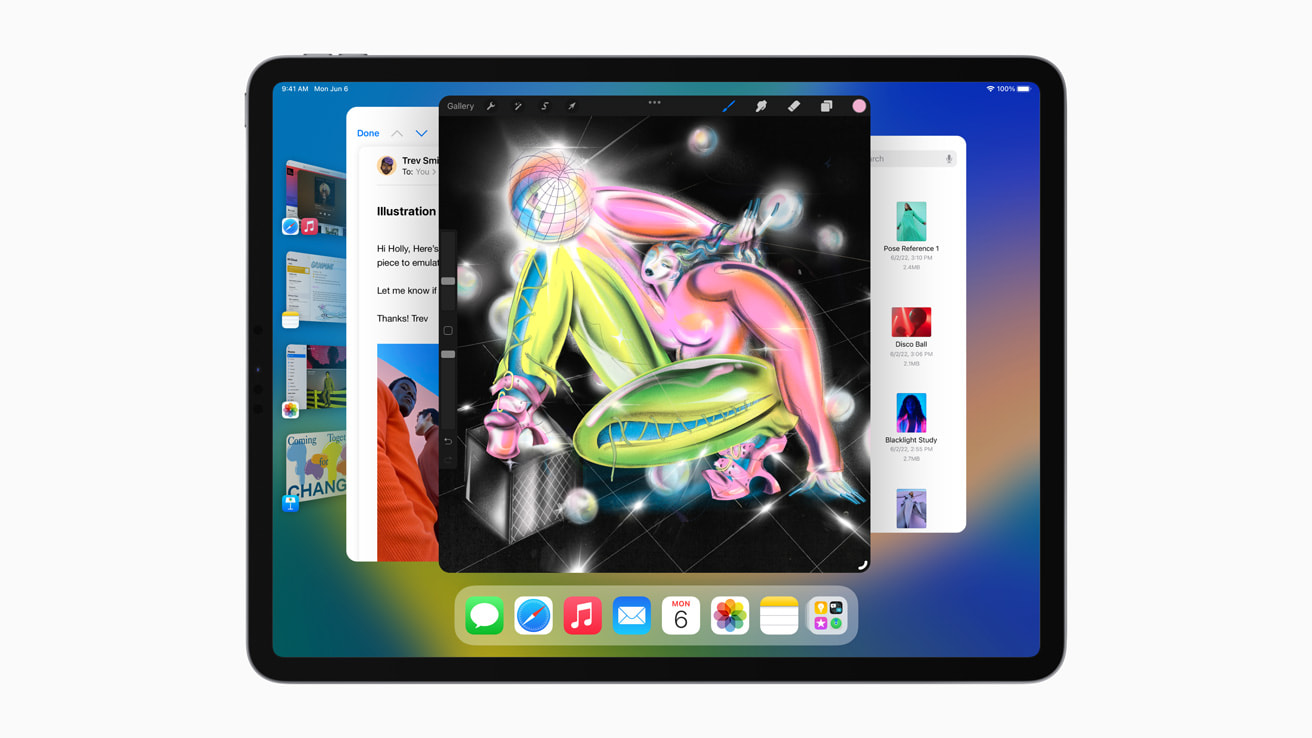
There’s also Virtual memory swap in M1 iPad, expands available memory for all apps. Up to 16GB of memory to most demanding apps. Stage Manager coming to iPad. Overlapping windowing and full external display support. Resizing windows on iPad. It’s becoming a Mac. Kind of


OS releases are coming out as developer betas today, with public betas coming in July. Coming out to all users this fall.

Here’s all about what happened at Apple’s Annual Developer Conference.

Here’s all about what happened at Apple’s Annual Developer Conference.


1. iOS 16

With the Lockscreen, you get more widgets and more customizing as you can customize with a tap to change the wallpaper, color, fonts for date and time as well. There are more widgets, calendar, weather, and other options. Notifications will roll in from the bottom, and we also get live notifications that remove a stream of notifications for events, activities. Focus is getting an update, letting you configure widgets based on the Focus session you choose. Apps will detect what Focus session you’re in. You can edit Messages you’ve sent on iMessage, eliminating embarrassment while also being able to undo send on messages and marking message threads as unread. 

Apple News is getting changes, by My Sports. Users get scores, standings, highlights for major sports leagues and you can configure it to follow your favorite teams.  Family Sharing makes it easier to create accounts for kids. Apple is simplifying devices set up for kids with Quick Start as requests for screen time will now come to Messages with a great new Family Checklist feature that will remind you of family sharing capabilities. You can now share keys with other users in iOS 16 with Wallet. ID cards coming to more locations. Apple Pay will also support new payments as it lets you spread payments into 4 equal payments spread over 6 weeks, no interest payments. iMessage gets a new “Shared with You” feature from iOS 15 with an API for developers to take advantage of the feature. SharePlay just got extended to Messages so users can watch videos in the Messages thread. Photos gets a new iCloud Shared Photo library letting users set up shared libraries with up to 5 people. People will have equal permissions for photos. Photos shared will show up in Memories and the Photos widget. There’s a new setting in the Camera app letting users add photos straight into the Photo Library. 

Safety Check is a safety feature in iOS 16 that lets you turn off sharing details if you’ve left an abusive relationship, a smarter way to manage permissions making sure the information isn’t in the hands of someone who can harm you. With more iPhone integration, CarPlay takes over all in-car screens, with “the very best of your car and your iPhone”, the new version will include support for controlling all vehicle systems with dash clusters and more. Available in 98% of cars. 79% of US buyers would only consider CarPlay-capable vehicles. Includes widgets, including on the gauge cluster iPhone communicates with in-car systems to display all the data. Supports multiple sizes and shapes of screens.

iPhone drives a new heads-up display with custom layouts tailored to the car, as well as new instrument cluster options. iOS 16 includes spatial audio improvement that uses the TrueDepth front camera to personalize sound as the Quick Note on iPad is also coming to iOS with more Memoji customization


2. watchOS 9

With watchOS 9, you get more watch faces and the Workout App that’s getting reworked and now gives stats like Metrics, views & training experiences inspired by high-performing athletes. 

There’s more Running updates with metrics and a New custom workout option that lets users focus on speed or endurance with distance or time intervals. New alerts like Pace, Heart Rate Zones. The Fitness app coming to iPhone- users regardless of if they have an Apple Watch. Track steps, distances, from iPhone only. 

There’s also some Updates to the Sleep app as you’ll now be able to learn more about sleep with Sleep Stages. Machine learning models matched with polysomnography to help determine whether you’re in REM, Core, and Deep sleep stages. 

A new Medications app to help you keep track of meds and helps users remember dosages with reminders on your iPhone or Apple Watch. Users now also get drug-drug interactions as they can share health data and Medications with family members. 


3. Next Gen Apple Silicon, the M2 chip. 

M2 goes beyond the M1 chip as “unlike others in the industry who increase power to get performance”, Apple says that they maximize performance minimizing power consumption. The M2 chip is their 2nd-generation chip with 5nm technology, 20 billion transistors, 25% more than M1. 100GB/s of unified memory bandwidth, up 50% from M1. The M2 also supports up to 24GB of LPDDR5 memory. 

With advancements in performance and efficiency cores, 4 high-performance cores, 4 high-efficiency cores and 18% greater performance at same wattage. M2 delivers 87% of peak performance of a 12-core PC laptop chip with 1/4 the power usage. Up to 10-core GPU, up 2 from M1. Apple says the M2 is a lot faster at lower power usage levels than the competition. The fact that we’re already starting our next-generation of Apple Silicon for the Mac is remarkable. 


4. New MacBook Air with an M2

The New MacBook Air is the first to have the new M2 chip as it is redesigned around M2 with 20% reduction in volume over previous Air. The dimensions are: 11.3mm thin. 2.7 pounds. The New MacBook Air Comes in 4 finishes, Silver, Space Gray, Starlight, Midnight. 

There’s MagSafe and two Thunderbolt ports on the left, an Audio jack with high-impedance headphone support on the right. The New MacBook Air Liquid Retina display got expanded around the sides with a notch as it’s a new 13.6-inch display with thinner borders, 500 nits and 25% brighter than before. 1 billion colors! New 1080p camera with 2x resolution and low light performance as previous MacBook Air.

A Three-mic array captures audio with beamforming algorithms. Four-speaker sound system. [Integrated between the keyboard and display] Magic keyboard includes a full-height function row with Touch ID but without a touch bar. The New MacBook Air has a Silent, fanless design. The New MacBook Air has the same all-day battery life, up to 18 hours of video playback that is really great. Compact power adapter with two USB-C ports. Fast charging supported with 67-watt adapter charging 50% in 30 minutes.

MacBook Air starts at $1199 or $1099 for education. MacBook Pro 13″ starts at $1299 and $1199 for education. Available next month. MacBook Air M1 stays in lineup at $999 or $899 for education.


5. macOS Ventura


macOS Ventura got some really cool features like a New Stage Manager feature that helps window tracking, it shuffles windows off to the side and is organized by apps. App you’re currently working with stays on center with recents on the side. You can also group windows together across apps into new groups. 

Updates to Spotlight- Spotlight can find images from photo library, search text inside images using Live Text, start timer or run shortcut from Spotlight. Rich results and taking actions from Spotlight are also coming to iOS and iPadOS. Spotlight added to the bottom of the iOS home screen. 

Apple is also aiming to replace passwords for good with a new “Passkeys” feature that uses Touch ID or Face ID to authenticate with a Digital key that is created and can’t be phished. It works with both Apps and on the Web.  It’s basically Touch ID or Face ID for websites. Apple has worked with the FIDO alliance to work across platforms. Uses QR code to sign in. 

Handoff is coming to FaceTime, it’s a Continuity camera that allows you to use your iPhone as a webcam on your Mac. There’s a Stand that allows your iPhone to attach to your display. 

Apple is working with Belkin to offer MagSafe stands to mount your iPhone to your computer and works as a webcam wirelessly and the iPhone can mount to your Mac using Portrait settings like Studio Light. Desk view uses the ultrawide camera from the iPhone to show the desk in front of a computer. Looks like a top-down camera view. The macOS Ventura coming later this year.


6. iPadOS 16

There’s lots of iPadOS updates, including a new Weather app. There’s new ways to collaborate with others and new features for Pro users. Users can share collaboration documents from Pages into entire Messages group. 

There’s a New Freeform app that’s basically a whiteboard but digital. Freeform is coming to iPadOS, macOS, and iOS later this year, you can add images, post-it notes, and scribbles, documents, web links, PDFs. There’s some more updates to Game Center and activity to see what friends are playing and see when friends beat your high score. SharePlay games. Also coming to iOS and macOS

There’s also Virtual memory swap in M1 iPad, expands available memory for all apps. Up to 16GB of memory to most demanding apps. Stage Manager coming to iPad. Overlapping windowing and full external display support. Resizing windows on iPad. It’s becoming a Mac. Kind of


OS releases are coming out as developer betas today, with public betas coming in July. Coming out to all users this fall.

Enable Optimization for improving page speed on Firefox?

Enabling will throttle your experience throughout the site, you will have reduced animations, no transparency effects, potentially reduced visual harmony. Learn why

You won't be prompted again, but you can change your settings by clicking on the bottom left icon.

We use cookies 🍪 & trackers for analytics & performance. By browsing, you accept our Privacy Policy - Learn more. Exit to opt-out