
Made with ♥ by Avi

You can now throw out your iPad for a new Chromebook!


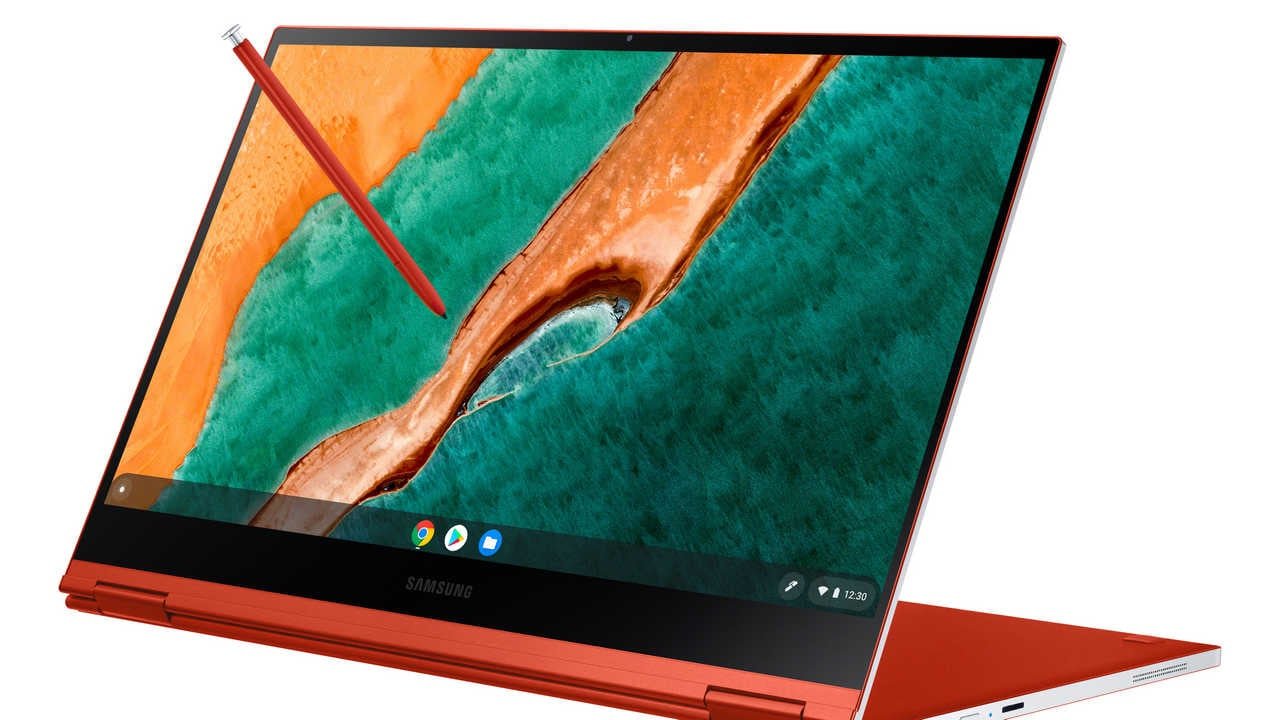
Although school is now closing down for the summer it’s not stopping Google from making Chromebooks the best possible device for a note-taking tool as the company just rolled out a great new update [Chrome OS M102] that will make the cursive app available on any Chromebook with PEN support. Their new software will help you create organized and share handwritten notes

You can now write or draw as you would expect, but you can also use your pen to move content just by circling it or erasing it by scribbling on top. You can also create extra space by drawing a horizontal line.

The Chrome OS M102 Update is really important if you are using a Chromebook with Thunderbolt or USB 4 ports. Chrome OS on every system with 12th or 11th Gen core processors is now smart enough to recognize the USB C cable you are using cannot support a display, so that’s great because you won’t have to always assume the worst when a cable doesn’t work with your laptop.
This new upgrade also lets you resize the magnified portion. You can better see zoomed-in content or keep the area small when you just want a closer look at tiny pictures or text. Also, cursive will be preinstalled on every compatible Chromebook as part of the update, but you can also install it manually. The update makes Stylus equipped Chromebooks a lot much more useful, as you’ll now be able to jot down class and meeting notes knowing they will be tidy and easy to access just as any student would with an iPad.

You can now throw out your iPad for a new Chromebook!

You can now throw out your iPad for a new Chromebook!


Although school is now closing down for the summer it’s not stopping Google from making Chromebooks the best possible device for a note-taking tool as the company just rolled out a great new update [Chrome OS M102] that will make the cursive app available on any Chromebook with PEN support. Their new software will help you create organized and share handwritten notes

You can now write or draw as you would expect, but you can also use your pen to move content just by circling it or erasing it by scribbling on top. You can also create extra space by drawing a horizontal line.

The Chrome OS M102 Update is really important if you are using a Chromebook with Thunderbolt or USB 4 ports. Chrome OS on every system with 12th or 11th Gen core processors is now smart enough to recognize the USB C cable you are using cannot support a display, so that’s great because you won’t have to always assume the worst when a cable doesn’t work with your laptop.

This new upgrade also lets you resize the magnified portion. You can better see zoomed-in content or keep the area small when you just want a closer look at tiny pictures or text. Also, cursive will be preinstalled on every compatible Chromebook as part of the update, but you can also install it manually. The update makes Stylus equipped Chromebooks a lot much more useful, as you’ll now be able to jot down class and meeting notes knowing they will be tidy and easy to access just as any student would with an iPad.

Enable Optimization for improving page speed on Firefox?

Enabling will throttle your experience throughout the site, you will have reduced animations, no transparency effects, potentially reduced visual harmony. Learn why

You won't be prompted again, but you can change your settings by clicking on the bottom left icon.

We use cookies 🍪 & trackers for analytics & performance. By browsing, you accept our Privacy Policy - Learn more. Exit to opt-out