
Made with ♥ by Avi

Airtags or Smart Tags, Which one is a Better Option?


Airtags

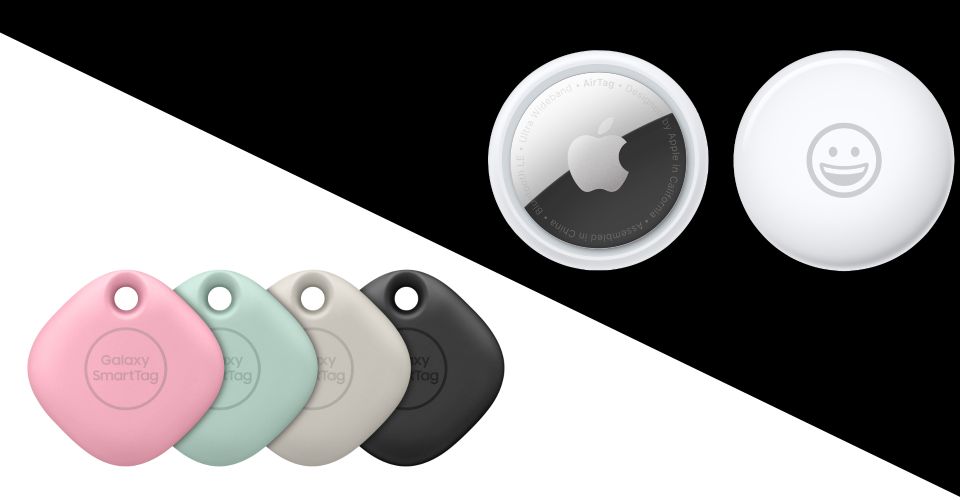
Okay, we all know that when Apple, makes a product, it’s awesome with the product experience. There’s this Ecosystem that Apple always abides by and tries to make their product experience as fluid and seamless as they possibly can. They make sure all their products make such an ecosystem, that the user remains tied in, they make it as seamless as possible. They try to keep it as simple as possible, so there’s no hassle figuring out what features go where for a better user experience. “It Just Works”, that’s what they’re about.

So, back to the story, Tile has been around for a long time, they were the first ones to think of this idea. They were the ones who even introduced the idea to the market! How this worked was, you bought a tile, and assuming that a lot 0f people bought Tiles, what’d happen is all the tiles near each other, create a chain for assuming the tile’s location, when you attached this to something important to you, you’d be able to get back to your possession, in-case you lost it. There was a catch though, once the Tile ran out of battery, you’d have to through it away, and get a new one which was simply a hassle and a waste of money to a lot of people.

Samsung Smart Tags

This slowly failed, while working on larger cities, there simply weren’t enough tiles on the go to enable the kind of tracking they had proposed while selling them. The Vision not the MCU one they had wasn’t possible.

Now, here comes Apple, Apple on the other hand wasn’t about just “Solely Tracking your stuff”, they have been building an entire ecosystem of many different products, the iPhone being the main highlight. Now, they know there are a lot of iPhones spread out across the entire world, well at least the entirety of the US. So, they proposed the “Airtag”, the thing is that there are a lot of Apple devices on the go, so the Airtag can communicate with every single one of them. Using the GPS of the device it’s communicating with, it gives an approximate location of the thing you want to search. This also includes the Apple proprietary chip, which helps find the exact location of the Airtag, using your iPhone’s Lidar, Gyro, and other Sensors paired with the chip on the Airatag.

Smart Tag; via Android Authority

With the addition of Airtag in the market, you bet every penny in your pocket Samsung would come up with their “New Innovative Idea” *See I’m not hating on Samsung, just saying they’re lagging in the race, and Samsung has a larger userbase not just concentrated in the US, which means that the Smart tag can work equally as well as the Airtags, that too Globally.


So, with the two largest Device manufacturers in the Bluetooth Tracker market, it’s a hundred percent guaranteed that the two firms together are going to banish the little “Tile”. and that’s the reason why we’re not including Tile in this comparison.

Pros

Apple AirtagsSamsung Smart Tags
Customized engraving for Personalization.Made from a tough, scratch-resistant material.
Works with many Apple accessories.AR view through camera viewfinder can help find SmartTags that are close by.
Utilizes on Apple’s enormous Find My network of devices.Works with smart home devices and IoT functions.
Offers more robust safety measures.Offers the ability to customize sounds.

Cons

Apple AirtagsSamsung Smart Tags
Only works with iOS devices.Works with Samsung Galaxy Phones.
Prone to scuffs and scratches.Limited design and accessory options.

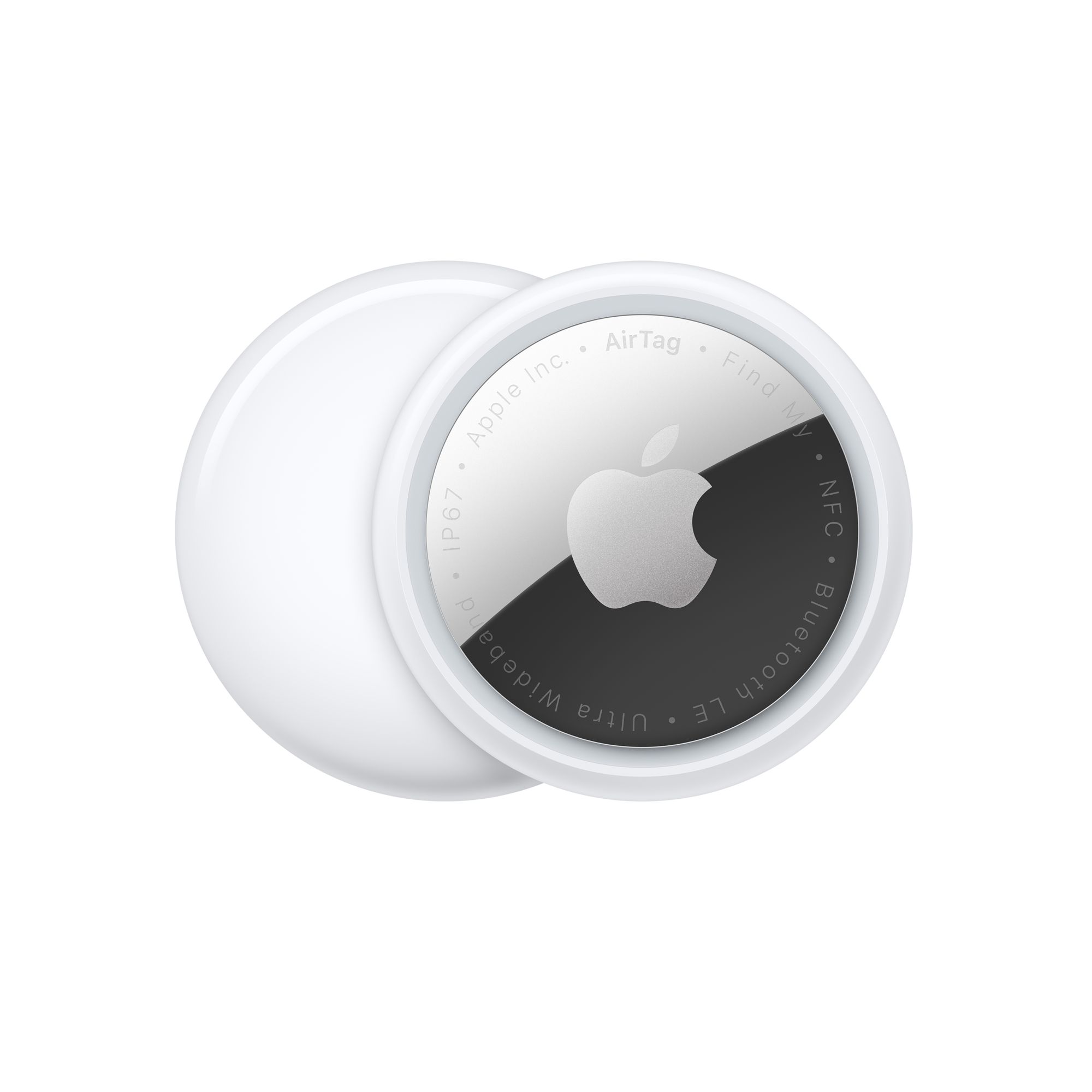
Here’s a detailed specsheet of the two devices.
FeaturesApple AirtagsSamsung Smart Tags
TechnologyBluetooth, UWB (Ultra Wideband) technologyBluetooth, UWB (Ultra Wideband) technology
PlatformiOSSamsung Galaxy smartphones
Range61m120m
Smart home functionsNoYes
Plays soundYesYes
BatteryReplaceable CR2032 cell batteryReplaceable CR2032 cell battery
Water-resistanceIP67IP53
ColorsSilverBlack, oatmeal, pink, mint
CustomizationCustom engravingNone
Price$29/one tag, $99/four tags$30/one tag, $85/four tags

Both the Airtag and Smart Tag implement UWB (Ultra Wideband) technology for devices that are close by. for directional instructions to take you to the device’s precise location in real-time. Both the Device work similarly, but the Smart Tags app can incorporate AR (augmented reality) imagery in the viewfinder to bring you to your lost item. This feature definitely adds a level of cool factor to the SmartTag SmartThings app.

Smart Tag

If you truly lose an item, the trackers will use a Bluetooth Low Energy signal to connect to other nearby devices and provide you with location data. Each tracker accomplishes this in a slightly different way. The AirTag implements Apple’s enormous network of Find My enabled devices to communicate encrypted location data to you. If any iPhone, iPad, or Mac is within range of your tracker, it will tap into the Find My network and alert you to its location. Samsung uses this same technology but uses the SmartThings Find network on other Samsung devices.


Now, what do you buy?

The main criteria for your decision-making here will be the type of operating system and smartphone you have. AirTags will only work with (UWB-enabled) iOS devices, and SmartTags will only work with the more recent (UWB-enabled) Samsung Galaxy smartphones. That will limit your choices here.
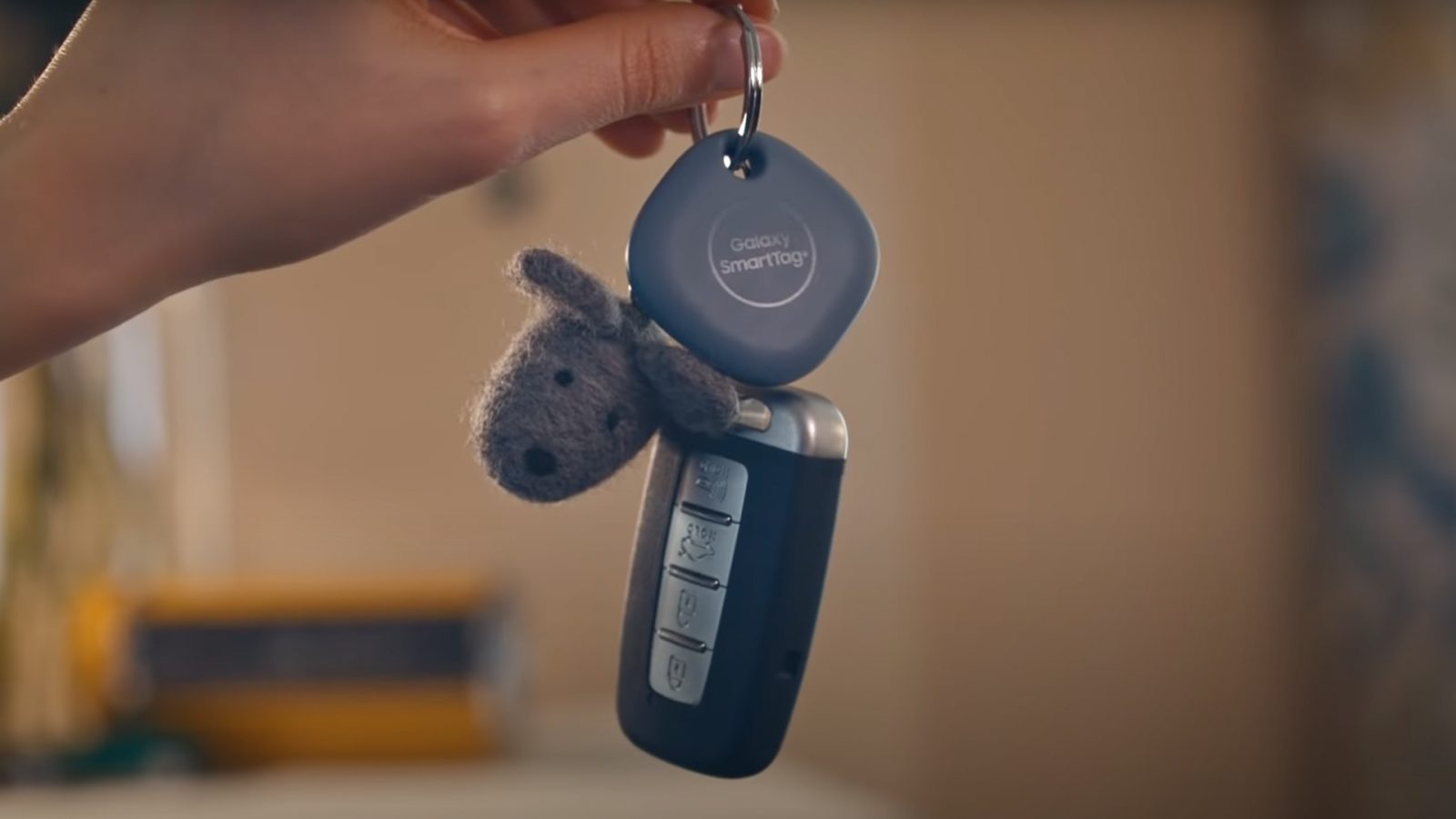
Smart Tag

If you own both a Samsung Galaxy and an Apple iPad simultaneously. Technically, you could use either of these Bluetooth trackers. So now your choice comes down to usage requirements and personal preferences.

The Samsung SmartTag is tougher. The AirTag has better design and is sleek, you have to get a cover for the Airtag.
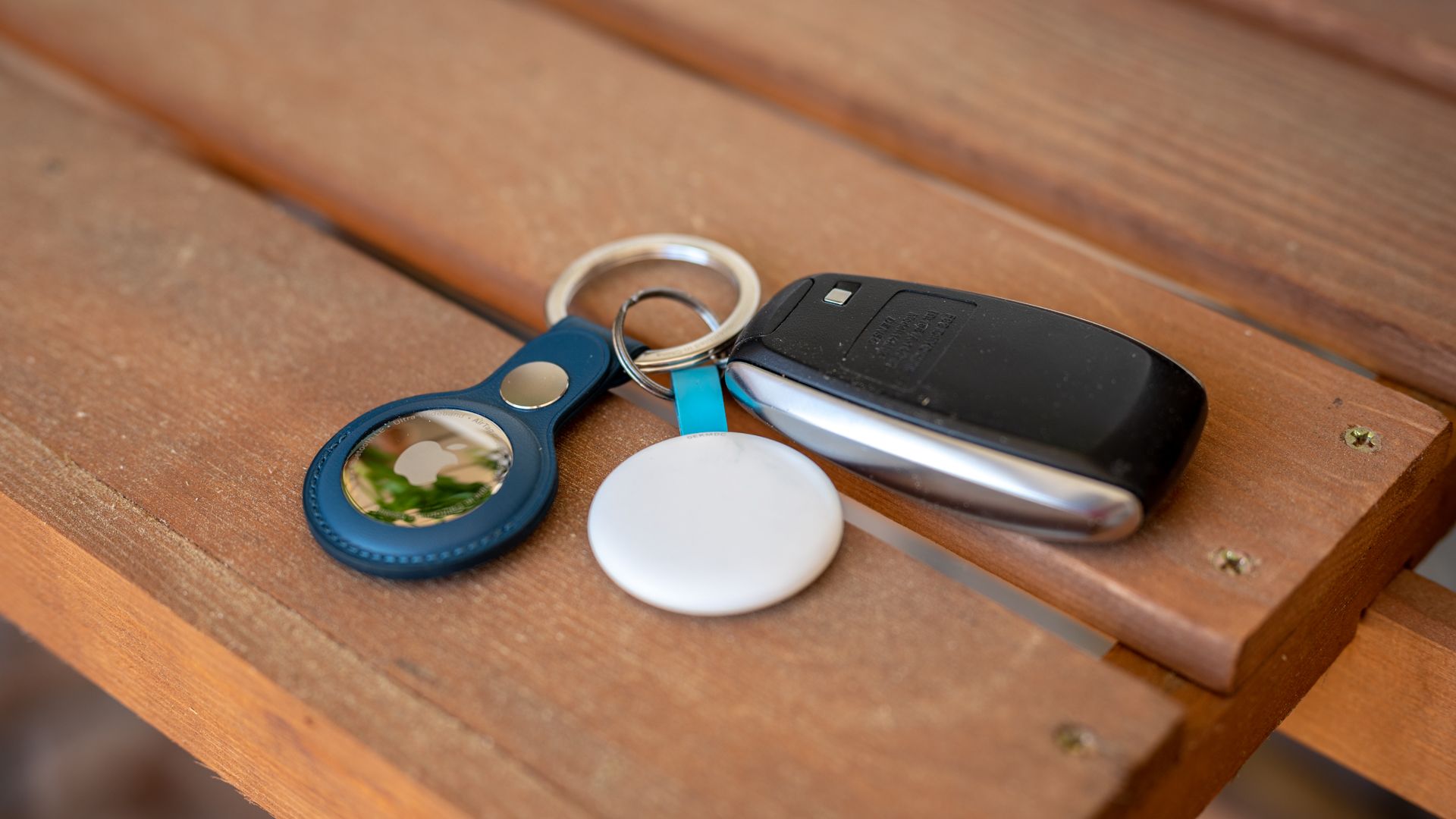
Airtag

Samsung’s SmartTag has one last unique smart home functionality. If you have many smart home devices, the SmartTag can be programmed as an IoT remote that works from anywhere. This is something that an AirTag will not do for you, so it may be something to consider.

Airtags or Smart Tags, Which one is a Better Option?

Airtags or Smart Tags, Which one is a Better Option?


Airtags

Okay, we all know that when Apple, makes a product, it’s awesome with the product experience. There’s this Ecosystem that Apple always abides by and tries to make their product experience as fluid and seamless as they possibly can. They make sure all their products make such an ecosystem, that the user remains tied in, they make it as seamless as possible. They try to keep it as simple as possible, so there’s no hassle figuring out what features go where for a better user experience. “It Just Works”, that’s what they’re about.

So, back to the story, Tile has been around for a long time, they were the first ones to think of this idea. They were the ones who even introduced the idea to the market! How this worked was, you bought a tile, and assuming that a lot 0f people bought Tiles, what’d happen is all the tiles near each other, create a chain for assuming the tile’s location, when you attached this to something important to you, you’d be able to get back to your possession, in-case you lost it. There was a catch though, once the Tile ran out of battery, you’d have to through it away, and get a new one which was simply a hassle and a waste of money to a lot of people.

Samsung Smart Tags

This slowly failed, while working on larger cities, there simply weren’t enough tiles on the go to enable the kind of tracking they had proposed while selling them. The Vision not the MCU one they had wasn’t possible.

Now, here comes Apple, Apple on the other hand wasn’t about just “Solely Tracking your stuff”, they have been building an entire ecosystem of many different products, the iPhone being the main highlight. Now, they know there are a lot of iPhones spread out across the entire world, well at least the entirety of the US. So, they proposed the “Airtag”, the thing is that there are a lot of Apple devices on the go, so the Airtag can communicate with every single one of them. Using the GPS of the device it’s communicating with, it gives an approximate location of the thing you want to search. This also includes the Apple proprietary chip, which helps find the exact location of the Airtag, using your iPhone’s Lidar, Gyro, and other Sensors paired with the chip on the Airatag.

Smart Tag; via Android Authority

With the addition of Airtag in the market, you bet every penny in your pocket Samsung would come up with their “New Innovative Idea” *See I’m not hating on Samsung, just saying they’re lagging in the race, and Samsung has a larger userbase not just concentrated in the US, which means that the Smart tag can work equally as well as the Airtags, that too Globally.


So, with the two largest Device manufacturers in the Bluetooth Tracker market, it’s a hundred percent guaranteed that the two firms together are going to banish the little “Tile”. and that’s the reason why we’re not including Tile in this comparison.

Pros

Apple AirtagsSamsung Smart Tags
Customized engraving for Personalization.Made from a tough, scratch-resistant material.
Works with many Apple accessories.AR view through camera viewfinder can help find SmartTags that are close by.
Utilizes on Apple’s enormous Find My network of devices.Works with smart home devices and IoT functions.
Offers more robust safety measures.Offers the ability to customize sounds.

Cons

Apple AirtagsSamsung Smart Tags
Only works with iOS devices.Works with Samsung Galaxy Phones.
Prone to scuffs and scratches.Limited design and accessory options.

Here’s a detailed specsheet of the two devices.

FeaturesApple AirtagsSamsung Smart Tags
TechnologyBluetooth, UWB (Ultra Wideband) technologyBluetooth, UWB (Ultra Wideband) technology
PlatformiOSSamsung Galaxy smartphones
Range61m120m
Smart home functionsNoYes
Plays soundYesYes
BatteryReplaceable CR2032 cell batteryReplaceable CR2032 cell battery
Water-resistanceIP67IP53
ColorsSilverBlack, oatmeal, pink, mint
CustomizationCustom engravingNone
Price$29/one tag, $99/four tags$30/one tag, $85/four tags

Both the Airtag and Smart Tag implement UWB (Ultra Wideband) technology for devices that are close by. for directional instructions to take you to the device’s precise location in real-time. Both the Device work similarly, but the Smart Tags app can incorporate AR (augmented reality) imagery in the viewfinder to bring you to your lost item. This feature definitely adds a level of cool factor to the SmartTag SmartThings app.

Smart Tag

If you truly lose an item, the trackers will use a Bluetooth Low Energy signal to connect to other nearby devices and provide you with location data. Each tracker accomplishes this in a slightly different way. The AirTag implements Apple’s enormous network of Find My enabled devices to communicate encrypted location data to you. If any iPhone, iPad, or Mac is within range of your tracker, it will tap into the Find My network and alert you to its location. Samsung uses this same technology but uses the SmartThings Find network on other Samsung devices.


Now, what do you buy?

The main criteria for your decision-making here will be the type of operating system and smartphone you have. AirTags will only work with (UWB-enabled) iOS devices, and SmartTags will only work with the more recent (UWB-enabled) Samsung Galaxy smartphones. That will limit your choices here.

Smart Tag

If you own both a Samsung Galaxy and an Apple iPad simultaneously. Technically, you could use either of these Bluetooth trackers. So now your choice comes down to usage requirements and personal preferences.

The Samsung SmartTag is tougher. The AirTag has better design and is sleek, you have to get a cover for the Airtag.

Airtag

Samsung’s SmartTag has one last unique smart home functionality. If you have many smart home devices, the SmartTag can be programmed as an IoT remote that works from anywhere. This is something that an AirTag will not do for you, so it may be something to consider.

Enable Optimization for improving page speed on Firefox?

Enabling will throttle your experience throughout the site, you will have reduced animations, no transparency effects, potentially reduced visual harmony. Learn why

You won't be prompted again, but you can change your settings by clicking on the bottom left icon.

We use cookies 🍪 & trackers for analytics & performance. By browsing, you accept our Privacy Policy - Learn more. Exit to opt-out