
Made with ♥ by Avi

The DJI Tello, It’s NOT a Toy.


Well I can confidently say, the DJI Tello definitely isn’t a toy.
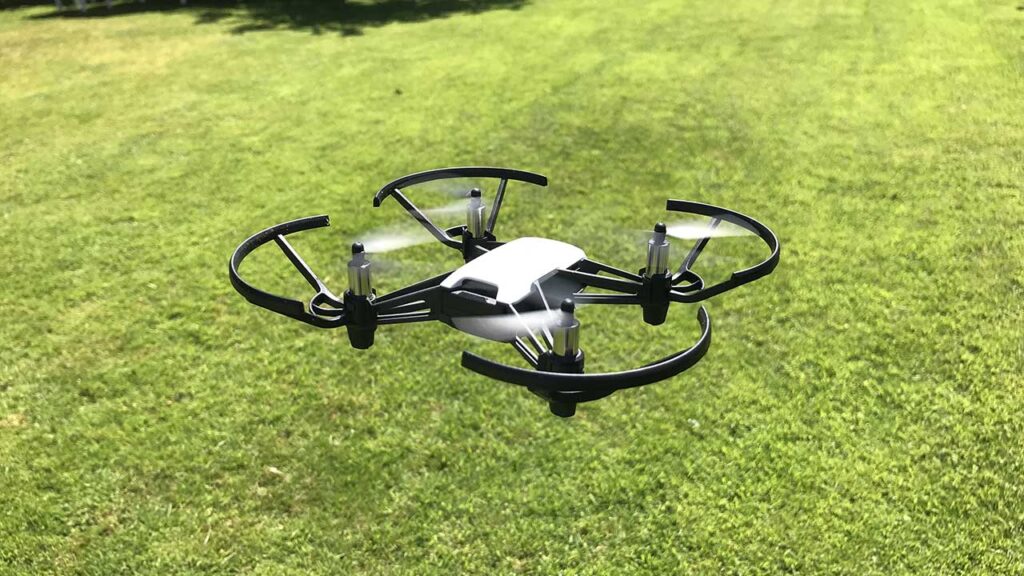
Image by: Camera Jabber

Equipped with a high-quality image processor, the Tello drone shoots incredible photos and videos. Even if you don’t know how to fly, you can record pro-level videos with EZ Shots and share them on social media from your smartphone. Camera features 5MP (2592×1936) photos and HD720 videos at a maximum flight time of 13 minutes.Tello has two antennas that make video transmission extra stable and a high-capacity battery that offers impressively long flight times. Thanks to all the tech that Tello’s packing, like a flight controller powered by DJI, you can perform awesome tricks with this mini drone. Flying has never been so fun and easy! What you get: RyzeTech Tello powered by DJI, 4x Propellers (Pair), Propeller Guards (Set), Battery, Micro USB Cable, Propeller Removal Tool.

Features:

  • Multiple flight modes
  • Throw & go take off
  • Auto take off and landing
  • 8D flips
  • Electronic image stabilisation
  • Vision Positioning system (allows the drone to hover in place)
  • Low battery protection (warns your battery is low)
  • Programmable with scratch and SDK

What We Like:

  • Extremely cheap
  • Fantastic flight modes
  • Easy to fly
  • Great flight time for such a small drone
  • Incredibly responsive

What We Don’t Like:

  • Doesn’t come with a charging cable
  • Can’t fly if it is windy
  • Slow charging time

To be honest, the drone is meant for absolutely anyone. Its lightweight design paired with its pre-installed prop guards make it extremely difficult to break.

This means that kids, teenagers, pensioners, first-time pilots, anyone can have a go at piloting the Tello (providing you have a smart device compatible with the Tello App).

As well as this, you also have the choice of slow and fast mode, so depending on your confidence levels, you get to decide how fast the Tello is able to go.

Inside the box, you get the following items:

  • Drone (with propellers and pop guards already installed)
  • 4 X spare propellers
  • Propeller removal tool
  • Battery
  • Tello start guide

You can connect your device to the drone by following these steps:

  • Install the app on your device
  • Turn on the drone (press the power button on the side of the drone)
  • Go to your Wi-FI options on your phone/tablet and connect to the Tello wifi
  • Launch the Tello application on your device. You will know if your device is connected as you will see a live video feed on your screen as well as a flashing yellow LED light next to the drones? camera.

Design

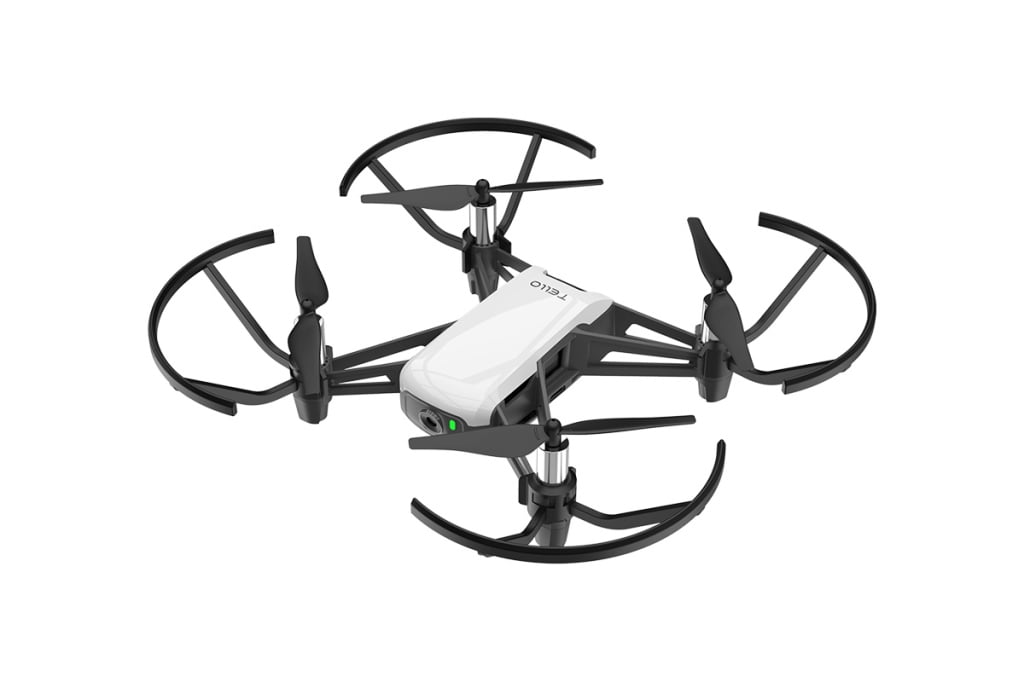
The Tello sports a very sleek and minimal design, slightly reminiscent of the DJI Spark with Remote Control Combo (White) . I knew the drone was going to be small, but I couldn’t quite believe how small it was when I opened up the box.

The drone is just 98 x 92.5 x 41mm and weighs only 80g with the propellers and battery attached. For such a small drone, it really does have a lot to offer. It’s also worth mentioning that the drone comes with the pop-guards attached. This is probably because the drone is designed to be flown by all skill-level pilots, including those who are not yet experienced in piloting and are more likely to crash.

If you don’t like the look of the prop guards, you’re able to remove them using the tool that comes alongside the Tello drone. It is one of the easiest drones I have ever flown from my phone. It was incredibly easy to set up, the controls were responsive and I had no issues keeping the drone under control.

The layout of the app is very simple and easy to use. If you are unsure of any of the controls, you’re able to get a rundown of all the controls and what each button is responsible for.

To take off, you simply slide the take-off button and the drone will get itself in the air. Once in the air, you can select from a range of flight modes, speeds, and camera functions.

For a drone costing less than $100, the Tello has a fantastic amount of different flight modes and features that make it an absolute blast to fly. Below I’ve listed Tello’s flight modes, and what exactly each one does:

  • Throw & Go Throw the aircraft into the air and it will take off and hover
  • 8D Flips  You slide on the screen to flip in 8 different directions
  • Up & Out This is essentially a drone. Where the drone flies itself upwards and backward at the same time whilst recording a video
  • 360 Records a video whilst spinning around
  • Circle Records a video whilst flying in a circle
  • Bounce Mode The drone automatically flies up and down within 0.5 and 1.2 meters of a surface below the aircraft (can even be your hand)

If you take a look at the bottom of the drone, you’ll see a couple of sensors. These are able to detect the surface below the drone and allows the drone to hover in place. This meant that the Tello was able to hold in place extremely well and barely moved when I was not inputting any controls.

If you increase your altitude closer to the 10m limit, a prompt appears on screen notifying you that the VPS position will not work as well. This is definitely noticeable, as the drone swayed from side to side a lot more when I was not inputting any controls. To be honest, the Tello is definitely not the drone you want to be used for high-quality cinematography/ photography.

Due to the absence of a gimbal, the camera makes use of digital image stabilization, similar to that of the Parrot Bebop. This does work kind of well, however, if a gust of wind blows the drone, it is definitely noticeable in the recording. Although equipped with a 5-megapixel camera and able to shoot 720p footage, its camera can’t really rival that for higher-spec drones. That’s not surprising considering that it costs under $100, so bearing that in mind the camera really isn’t that bad.

Having said that, if you’re looking to take a few snaps to populate your Instagram feed, then the Tello is more than capable of delivering.

I was extremely impressed by the Tello’s 13-minute flight time, for such a small drone this really isn’t bad at all. Especially when you consider this is just 3-minute less than the DJI Spark, which costs at least triple the price!

The only real annoying part of the Wi-FI connection is its? 10m altitude limit. I would have liked to take it slightly higher, but I was prompted with a warning message saying that the connection was getting bad.

The Tello drone is also programmable by Switch, which is a software developed by MIT that helps those who do not know how to code learn the basics. You may even remember using it whilst at school during IT class! If you’re a bit more advanced than a beginner, you can even develop your own software for the Tello drone using the Tello SDK.

The DJI Tello, It’s NOT a Toy.

The DJI Tello, It’s NOT a Toy.


Well I can confidently say, the DJI Tello definitely isn’t a toy.

Image by: Camera Jabber

Equipped with a high-quality image processor, the Tello drone shoots incredible photos and videos. Even if you don’t know how to fly, you can record pro-level videos with EZ Shots and share them on social media from your smartphone. Camera features 5MP (2592×1936) photos and HD720 videos at a maximum flight time of 13 minutes.Tello has two antennas that make video transmission extra stable and a high-capacity battery that offers impressively long flight times. Thanks to all the tech that Tello’s packing, like a flight controller powered by DJI, you can perform awesome tricks with this mini drone. Flying has never been so fun and easy! What you get: RyzeTech Tello powered by DJI, 4x Propellers (Pair), Propeller Guards (Set), Battery, Micro USB Cable, Propeller Removal Tool.

Features:

  • Multiple flight modes
  • Throw & go take off
  • Auto take off and landing
  • 8D flips
  • Electronic image stabilisation
  • Vision Positioning system (allows the drone to hover in place)
  • Low battery protection (warns your battery is low)
  • Programmable with scratch and SDK

What We Like:

  • Extremely cheap
  • Fantastic flight modes
  • Easy to fly
  • Great flight time for such a small drone
  • Incredibly responsive

What We Don’t Like:

  • Doesn’t come with a charging cable
  • Can’t fly if it is windy
  • Slow charging time

To be honest, the drone is meant for absolutely anyone. Its lightweight design paired with its pre-installed prop guards make it extremely difficult to break.

This means that kids, teenagers, pensioners, first-time pilots, anyone can have a go at piloting the Tello (providing you have a smart device compatible with the Tello App).

As well as this, you also have the choice of slow and fast mode, so depending on your confidence levels, you get to decide how fast the Tello is able to go.

Inside the box, you get the following items:

  • Drone (with propellers and pop guards already installed)
  • 4 X spare propellers
  • Propeller removal tool
  • Battery
  • Tello start guide

You can connect your device to the drone by following these steps:

  • Install the app on your device
  • Turn on the drone (press the power button on the side of the drone)
  • Go to your Wi-FI options on your phone/tablet and connect to the Tello wifi
  • Launch the Tello application on your device. You will know if your device is connected as you will see a live video feed on your screen as well as a flashing yellow LED light next to the drones? camera.

Design

The Tello sports a very sleek and minimal design, slightly reminiscent of the DJI Spark with Remote Control Combo (White) . I knew the drone was going to be small, but I couldn’t quite believe how small it was when I opened up the box.

The drone is just 98 x 92.5 x 41mm and weighs only 80g with the propellers and battery attached. For such a small drone, it really does have a lot to offer. It’s also worth mentioning that the drone comes with the pop-guards attached. This is probably because the drone is designed to be flown by all skill-level pilots, including those who are not yet experienced in piloting and are more likely to crash.

If you don’t like the look of the prop guards, you’re able to remove them using the tool that comes alongside the Tello drone. It is one of the easiest drones I have ever flown from my phone. It was incredibly easy to set up, the controls were responsive and I had no issues keeping the drone under control.

The layout of the app is very simple and easy to use. If you are unsure of any of the controls, you’re able to get a rundown of all the controls and what each button is responsible for.

To take off, you simply slide the take-off button and the drone will get itself in the air. Once in the air, you can select from a range of flight modes, speeds, and camera functions.

For a drone costing less than $100, the Tello has a fantastic amount of different flight modes and features that make it an absolute blast to fly. Below I’ve listed Tello’s flight modes, and what exactly each one does:

  • Throw & Go Throw the aircraft into the air and it will take off and hover
  • 8D Flips  You slide on the screen to flip in 8 different directions
  • Up & Out This is essentially a drone. Where the drone flies itself upwards and backward at the same time whilst recording a video
  • 360 Records a video whilst spinning around
  • Circle Records a video whilst flying in a circle
  • Bounce Mode The drone automatically flies up and down within 0.5 and 1.2 meters of a surface below the aircraft (can even be your hand)

If you take a look at the bottom of the drone, you’ll see a couple of sensors. These are able to detect the surface below the drone and allows the drone to hover in place. This meant that the Tello was able to hold in place extremely well and barely moved when I was not inputting any controls.

If you increase your altitude closer to the 10m limit, a prompt appears on screen notifying you that the VPS position will not work as well. This is definitely noticeable, as the drone swayed from side to side a lot more when I was not inputting any controls. To be honest, the Tello is definitely not the drone you want to be used for high-quality cinematography/ photography.

Due to the absence of a gimbal, the camera makes use of digital image stabilization, similar to that of the Parrot Bebop. This does work kind of well, however, if a gust of wind blows the drone, it is definitely noticeable in the recording. Although equipped with a 5-megapixel camera and able to shoot 720p footage, its camera can’t really rival that for higher-spec drones. That’s not surprising considering that it costs under $100, so bearing that in mind the camera really isn’t that bad.

Having said that, if you’re looking to take a few snaps to populate your Instagram feed, then the Tello is more than capable of delivering.

I was extremely impressed by the Tello’s 13-minute flight time, for such a small drone this really isn’t bad at all. Especially when you consider this is just 3-minute less than the DJI Spark, which costs at least triple the price!

The only real annoying part of the Wi-FI connection is its? 10m altitude limit. I would have liked to take it slightly higher, but I was prompted with a warning message saying that the connection was getting bad.

The Tello drone is also programmable by Switch, which is a software developed by MIT that helps those who do not know how to code learn the basics. You may even remember using it whilst at school during IT class! If you’re a bit more advanced than a beginner, you can even develop your own software for the Tello drone using the Tello SDK.

Enable Optimization for improving page speed on Firefox?

Enabling will throttle your experience throughout the site, you will have reduced animations, no transparency effects, potentially reduced visual harmony. Learn why

You won't be prompted again, but you can change your settings by clicking on the bottom left icon.

We use cookies 🍪 & trackers for analytics & performance. By browsing, you accept our Privacy Policy - Learn more. Exit to opt-out